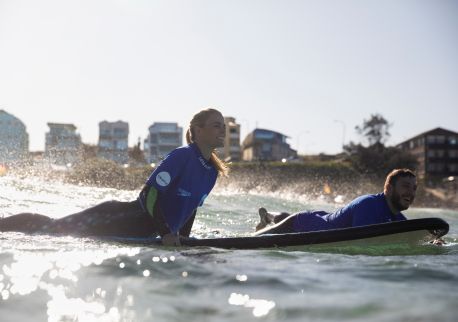
DAY TWO: LEARN SOMETHING NEW
DAY ONE: FINE DINING FEAST
Briefing the Producer: Copy
Preferred method for briefing any image
Checking image rights in ATDW
9. Hierarchy Change Process & Checklist
Hierarchy Change Process & Checklist
These are the critical components to be addressed when changing the location hierarchy in either Sydney.com or Visitnsw.com.
Key Components:
- Agreed new region or area terminology and location structure
- Updated CMS structure + hierarchy
- Updated consumer facing content
- Comms for
- External Stakeholders involved > DN
- DNSW Regional Hub
- DNSW Consumer Marketing
- DNSW PR & Partnerships info kit
- DNSW Image Library
Turn-around time for Completion = 4 weeks once changes are approved
Step 1: Sign off on new location region/area names, and location structure
Who: Associate Director Digital Publishing & Distribution
What: Map out the new region/area/towns with consultation from DNSW internally
Steps:
Confirm the “area” names - or any new location names including region changes, town mapping etc in consultation with Regional Hub Team.
Inform Website Development Team that changes to hierarchy are coming & log time with Associate Director of Website.
Step 2: Establish Latitude/Longitude for the new Region/Area/Towns that are incorporated in the change
Who: Associate Director Digital Publishing & Distribution, Consumer Marketing
What: Collaborate and consult with Regional Hub team to set geo location.
Steps: After input/engagement with relevant stakeholders establish the new boundary lines and centre point for the new location that’s requested.
This will impact maps, product placement, article tagging, ATDW urls etc. You need this for the roll out of the changes to give to the Developers + ATDW (and Alpaca if changes impact state maps).
Note: As regions can be quite large, and don’t follow straight lines, will need to establish which point is plotted as the main point pin – usually one of the town centres, as well as the extremities to show which towns are included or excluded. Can reference Google Maps points & council boundaries.
Step 3: Audit websites Sydney.com & Visitnsw.com for all impacted content
Who: Senior Digital Publisher & Digital Content Manager
What: Website developers to build new location in hierarchy and move subsequent locations
Steps:
Run Monsido test to pull all links & content referencing both old and new locations
Consolidate + create list of all impacted consumer facing content/editorial/destination pages
Consolidate + create list of all impacted consumer facing website navigation (tiles/mega menu)
Consolidate + create list of all impacted consumer facing articles
Consolidate + create list of all impacted Road Trips (Alpaca)
Consolidate + create list of all impacted image titles, alt text + captions
Consult with Senior Digital Product Coordinator on impacted ATDW listings for slug rebuild
Step 4: Roll out structural hierarchy changes in CMS & ATDW
Part A
Who: Digital Projects Manager/Developers
What: Website developers to build new location in hierarchy and move subsequent locations
Steps:
Delete/move old hierarchy location in CMS
Create new hierarchy locations in CMS
Dev team to change filters in Articles and run a script to move existing articles - old to new locations
Dev team to build new filter options in Product Lists
Dev team to build new location if required in Road Trip filters: Widget: itinerary tile
Part B
Who: Senior Digital Product Coordinator
What: Inform ATDW of new hierarchy
Steps: Inform ATDW of new hierarchy and which locations require API realignment
Part C
Who: Senior Digital Publisher
What: Rebuild ATDW Slugs
Steps:
Rebuild slugs of the new area or region or town
Rebuild slugs of the old area or town – need to avoid duplication of listings in the old area – make sure both the original and new locations are treated the same with rebuilding to avoid bugs/duplicated content etc.
Step 5: Roll out consumer facing content changes in CMS for both Sydney & Visitnsw
Part A
Who: Digital Content Manager
What: Rewrite, edit & brief Senior Digital Publisher with new consumer facing content reflecting the new locations/hierarchy
Steps:
Edit existing copy or write new copy from the consolidated list in step 3, and brief Senior Publisher with new content:
- Sydney & VisitNSW Destination navigation page
- All affected region & area destination pages – both old & new (intros/body/meta data)
- Website navigation (tiles/mega menu) - including high level navigation pages that regions are linked
> As an example on highest level accommodation page, midway down user to filter by location tile
- Articles
- Road Trips (Alpaca) > this is pending who is responsible for the Road Trip content
Update content plan & strategy docs to reflect new changes
Part B
Who: Senior Digital Publisher
What: Roll out consumer facing content changes in CMS for both Sydney & Visitnsw
Steps:
- Complete all briefs provided by Digital Content Manager relating to content updates
- Change page templates on affected pages
- Move parent & child pages in CMS hierarchy & regenerate slugs (urls)
- Confirm all Meta Data has been updated on old + new
- Implement all relevant redirects from editorial pages
- Update all image titles, alt text + captions impacted
- Update all Road Trip filters: Widget: itinerary tile
- Update all Product Lists on relevant Destination Pages to reflect new product results
- Update all Article tags if not completed by Website Development Team
Step 6: Deliver Comms to stakeholders announcing changes
Who: Associate Director Digital Publishing & Distribution
What: Create and deliver new terminology, official destination names and structure, to all relevant stakeholders both internally and externally.
Steps:
Inform Destination Network and DNSW Regional Hub
Inform all DNSW Consumer Marketing – in particular Social Team/PR
Inform DNSW Image Library (to reflect changes in naming conventions on image assets + search)
Create and provide information summary kit/FAQs for external stakeholders